Aurora
Media Player Classic Home Cinema− □ ✕
DarkGlassblueteal
Blue glass with cyan highlights. The menu bar, seek bar, controls and status bar are 40 percent see-through; the glass needs Windows 11 22H2 or newer.
Version 1.1.0 · dark · GPL-3.0-or-later · 64 KB
- Download
aurora.mpcskin and double-click it. MPC-XS installs the skin.
- Open the Skin menu (between Favorites and Help) and choose Aurora.
By hand: extract aurora.zip and copy the aurora folder into skins next to mpc-hc64.exe.
Gloss
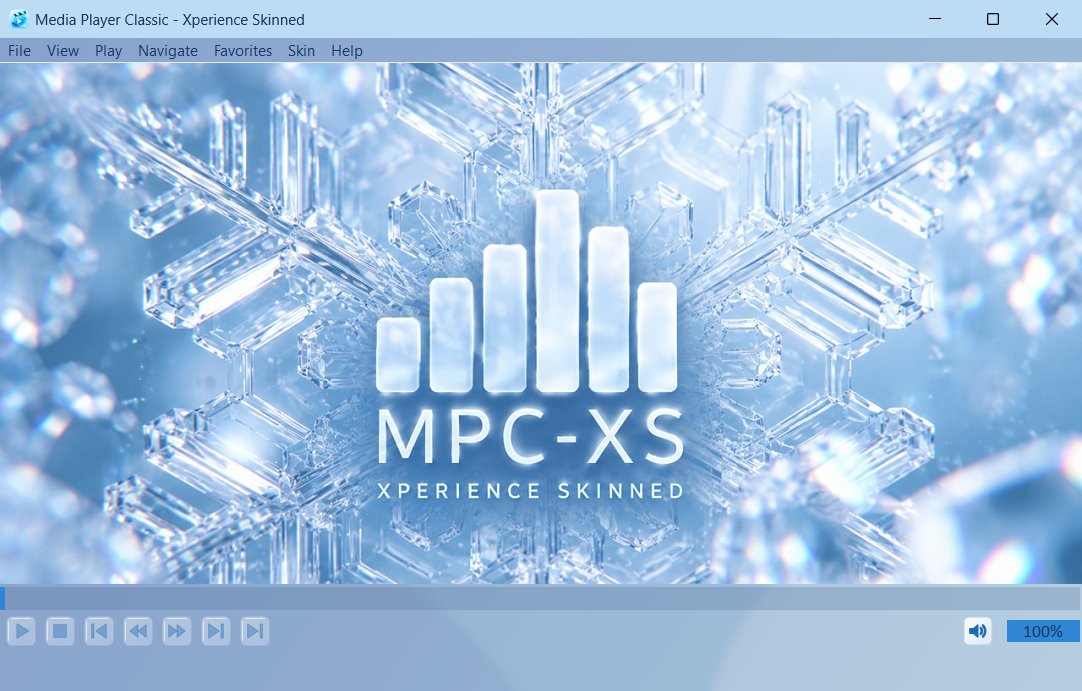
LightGlassbluewhite
Icy glass: pale blue frosted bars, 60 percent see-through, over a softly blurred view of what is behind the window, with deep blue text and glass tile buttons. Needs Windows 11 22H2 or newer.
Version 1.1.0 · light · GPL-3.0-or-later · 259 KB
- Download
gloss.mpcskin and double-click it. MPC-XS installs the skin.
- Open the Skin menu (between Favorites and Help) and choose Gloss.
By hand: extract gloss.zip and copy the gloss folder into skins next to mpc-hc64.exe.
Cherry Blossom
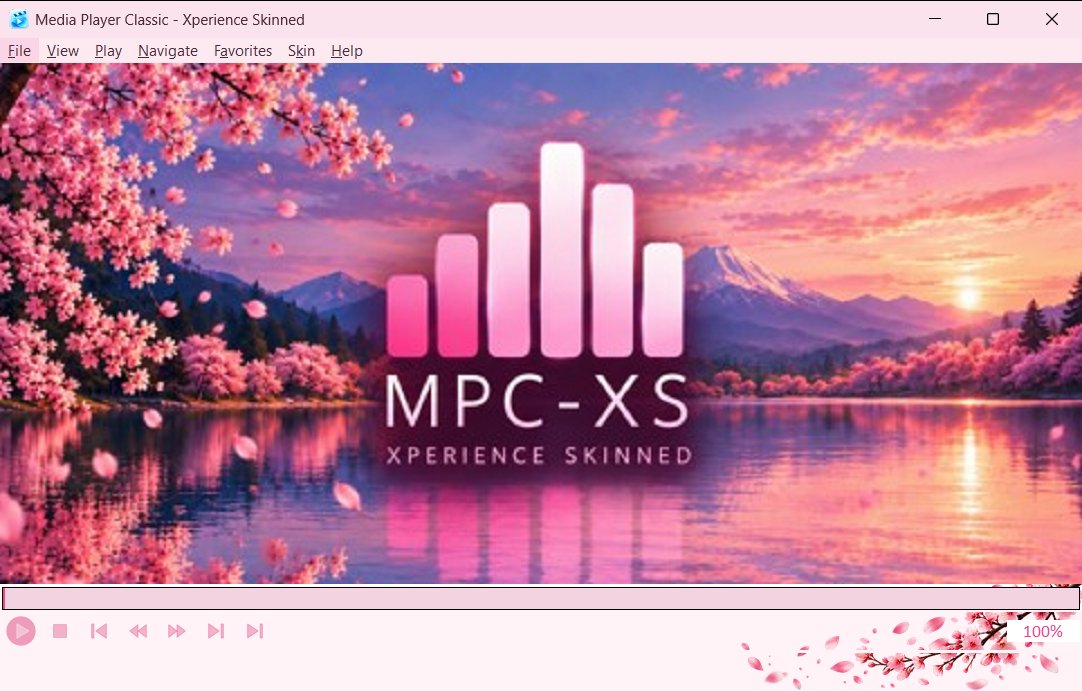
LightNaturepinkwhite
Soft pink and white with a plum accent, filled pink icons and a spring sunset logo. A light, gentle skin.
Version 1.0.0 · light · GPL-3.0-or-later · 775 KB
- Download
cherry-blossom.mpcskin and double-click it. MPC-XS installs the skin.
- Open the Skin menu (between Favorites and Help) and choose Cherry Blossom.
By hand: extract cherry-blossom.zip and copy the cherry-blossom folder into skins next to mpc-hc64.exe.
Nocturne
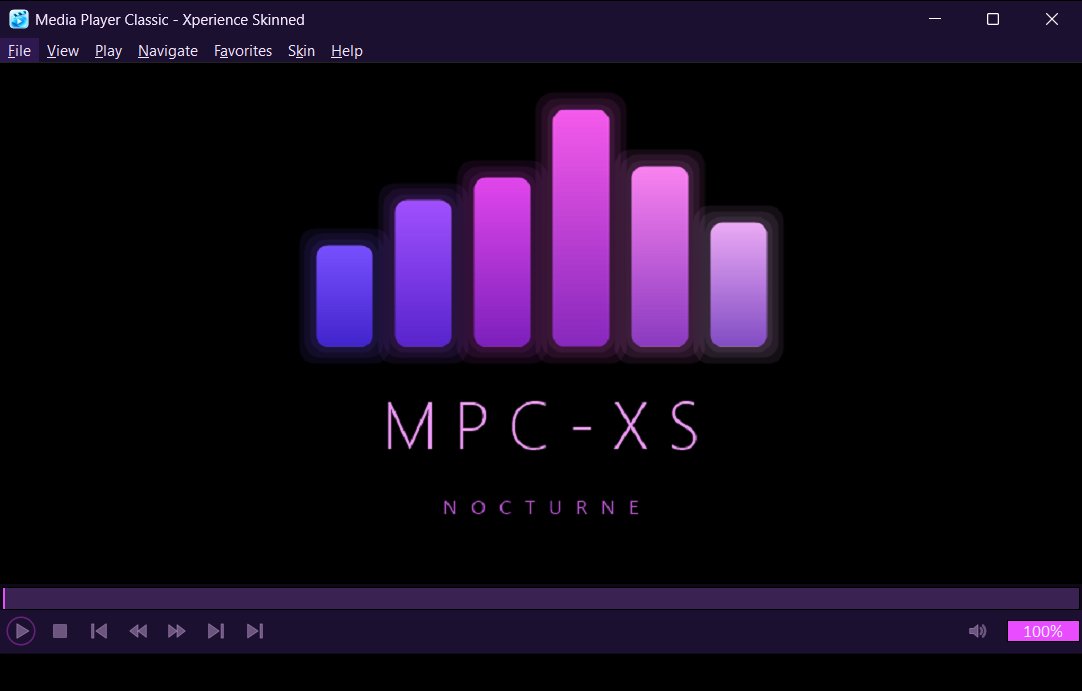
DarkNeonpurplepinkblack
Deep violet and neon magenta, a city at night. Soft glowing icons and a violet outline.
Version 1.0.0 · dark · GPL-3.0-or-later · 43 KB
- Download
nocturne.mpcskin and double-click it. MPC-XS installs the skin.
- Open the Skin menu (between Favorites and Help) and choose Nocturne.
By hand: extract nocturne.zip and copy the nocturne folder into skins next to mpc-hc64.exe.
Obsidian
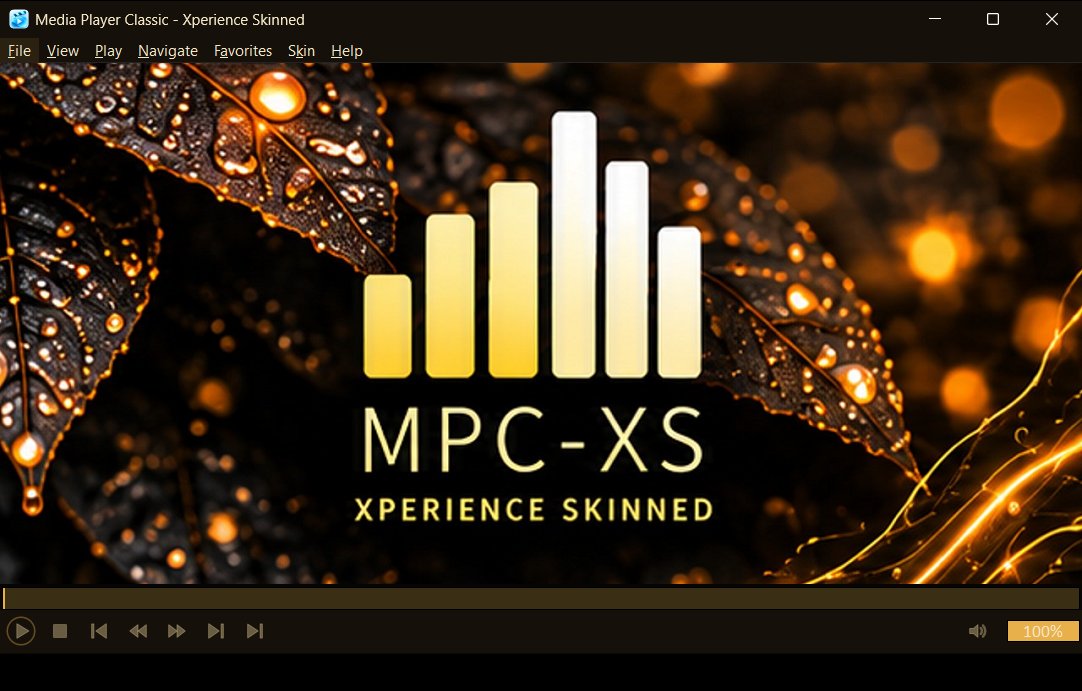
DarkElegantgoldblack
Black glass with warm gold. Gold icons, a gold outline and a deep black ground.
Version 1.0.0 · dark · GPL-3.0-or-later · 199 KB
- Download
obsidian.mpcskin and double-click it. MPC-XS installs the skin.
- Open the Skin menu (between Favorites and Help) and choose Obsidian.
By hand: extract obsidian.zip and copy the obsidian folder into skins next to mpc-hc64.exe.
Zen
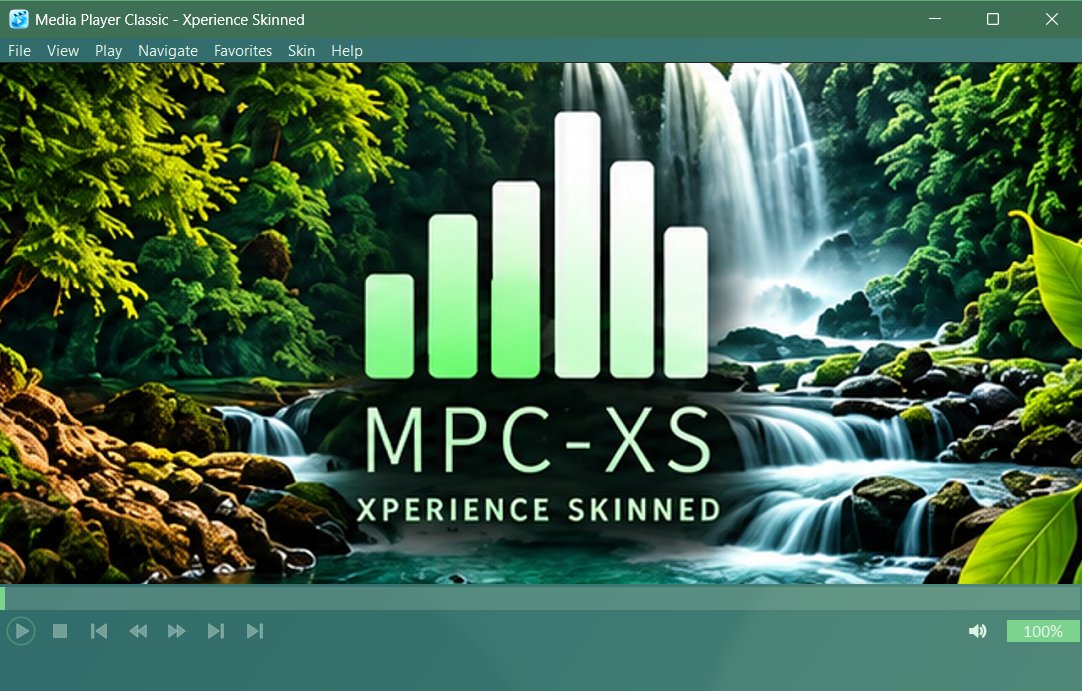
DarkGlassNaturegreenteal
Dark forest green frosted glass. The bars are see-through over a soft blur, with green icons and a green title bar.
Version 1.0.0 · dark · GPL-3.0-or-later · 285 KB
- Download
zen.mpcskin and double-click it. MPC-XS installs the skin.
- Open the Skin menu (between Favorites and Help) and choose Zen.
By hand: extract zen.zip and copy the zen folder into skins next to mpc-hc64.exe.
Africana
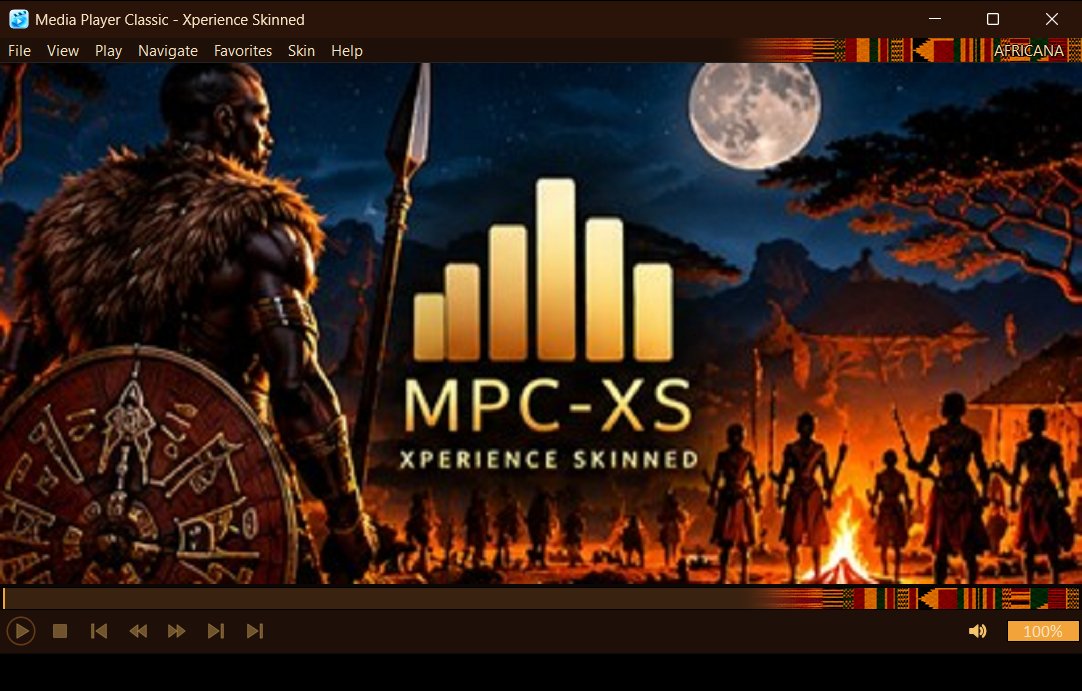
DarkCultureorangegoldbrown
Warm gold on deep brown with African cloth along the menu bar and the seek bar, and a different savanna picture each time the player is idle.
Version 1.0.0 · dark · GPL-3.0-or-later · 488 KB
- Download
africana.mpcskin and double-click it. MPC-XS installs the skin.
- Open the Skin menu (between Favorites and Help) and choose Africana.
By hand: extract africana.zip and copy the africana folder into skins next to mpc-hc64.exe.
Maven
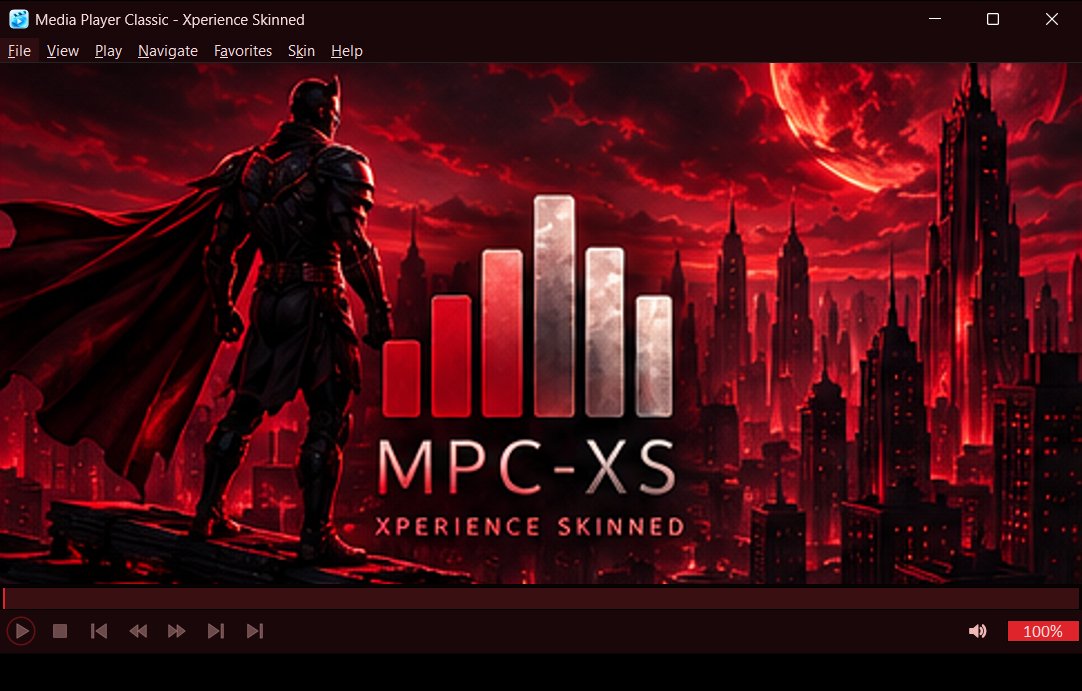
DarkFantasyredblack
Dark red superhero: black and crimson, a red moon over a city at night.
Version 1.0.0 · dark · GPL-3.0-or-later · 146 KB
- Download
maven.mpcskin and double-click it. MPC-XS installs the skin.
- Open the Skin menu (between Favorites and Help) and choose Maven.
By hand: extract maven.zip and copy the maven folder into skins next to mpc-hc64.exe.
Dumah
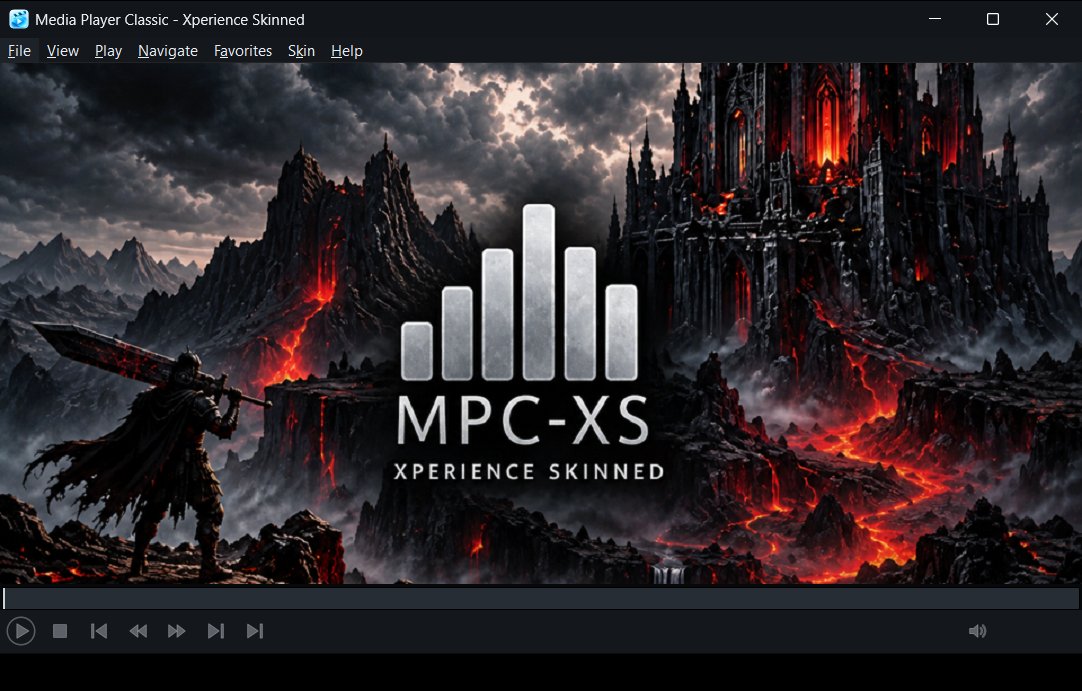
DarkFantasysilverblack
Black and silver, a hooded figure in a moonlit ruin. Monochrome with cold white highlights.
Version 1.0.0 · dark · GPL-3.0-or-later · 184 KB
- Download
dumah.mpcskin and double-click it. MPC-XS installs the skin.
- Open the Skin menu (between Favorites and Help) and choose Dumah.
By hand: extract dumah.zip and copy the dumah folder into skins next to mpc-hc64.exe.
Underwater
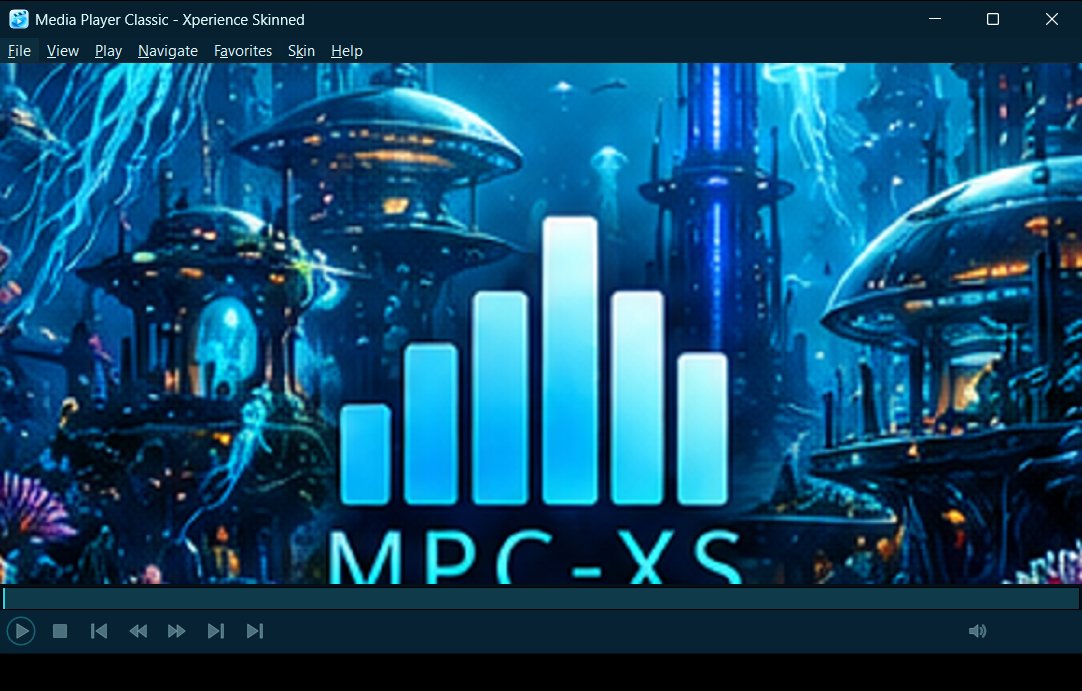
DarkNatureFantasytealblue
Deep sea teal and cyan: glowing jellyfish over a coral city.
Version 1.0.0 · dark · GPL-3.0-or-later · 791 KB
- Download
underwater.mpcskin and double-click it. MPC-XS installs the skin.
- Open the Skin menu (between Favorites and Help) and choose Underwater.
By hand: extract underwater.zip and copy the underwater folder into skins next to mpc-hc64.exe.
Astralis
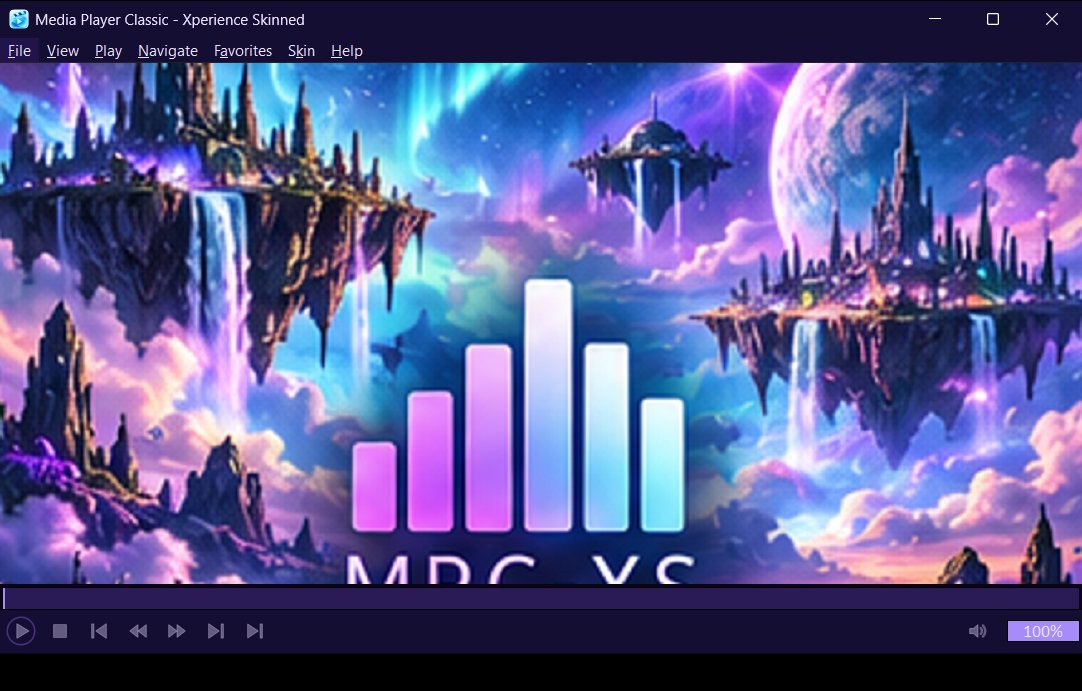
DarkFantasySpacepurpleblue
Celestial violet: floating islands under an aurora.
Version 1.0.0 · dark · GPL-3.0-or-later · 1015 KB
- Download
astralis.mpcskin and double-click it. MPC-XS installs the skin.
- Open the Skin menu (between Favorites and Help) and choose Astralis.
By hand: extract astralis.zip and copy the astralis folder into skins next to mpc-hc64.exe.
Waterfall
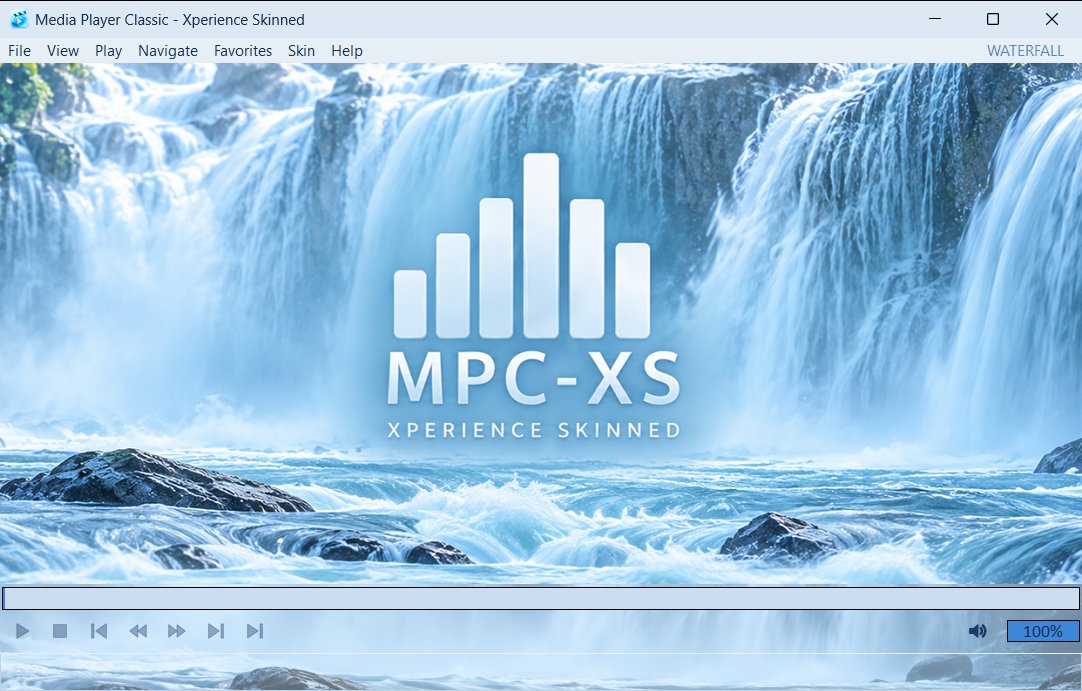
LightNaturebluewhite
Light and airy: one waterfall picture runs behind the seek bar, the controls and the status bar, under a pale blue veil.
Version 1.0.0 · light · GPL-3.0-or-later · 2186 KB
- Download
waterfall.mpcskin and double-click it. MPC-XS installs the skin.
- Open the Skin menu (between Favorites and Help) and choose Waterfall.
By hand: extract waterfall.zip and copy the waterfall folder into skins next to mpc-hc64.exe.
Planetarium
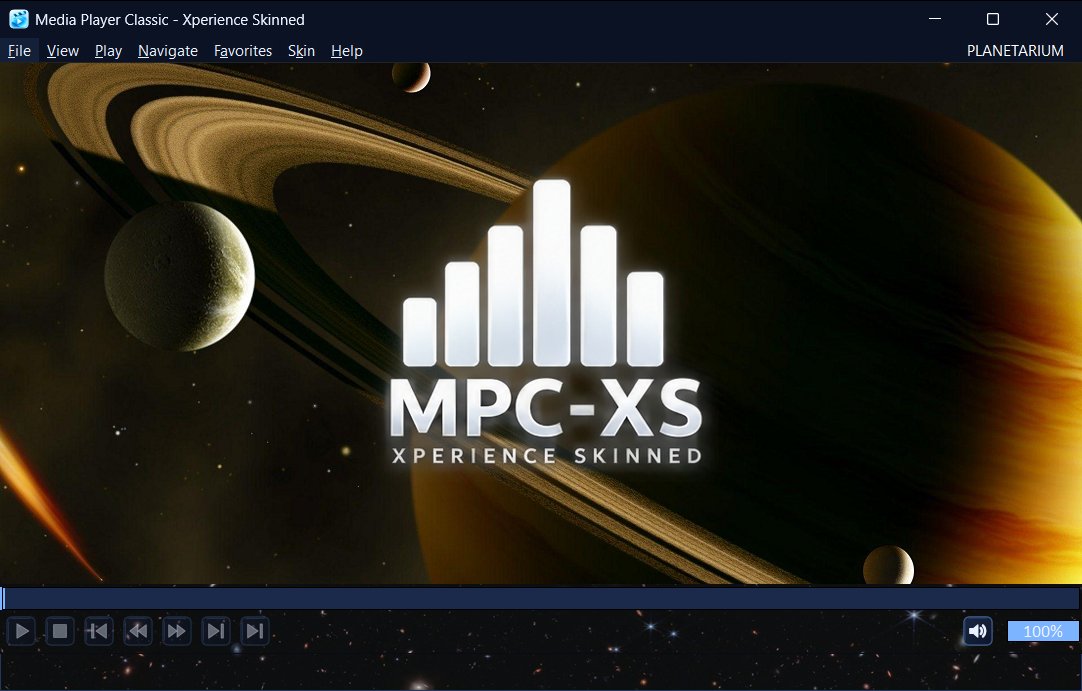
DarkSpaceblueblackorange
Deep space: the solar system on a field of stars, with a star field behind the controls and a different picture each time the player is idle.
Version 1.0.0 · dark · GPL-3.0-or-later · 3857 KB
- Download
planetarium.mpcskin and double-click it. MPC-XS installs the skin.
- Open the Skin menu (between Favorites and Help) and choose Planetarium.
By hand: extract planetarium.zip and copy the planetarium folder into skins next to mpc-hc64.exe.
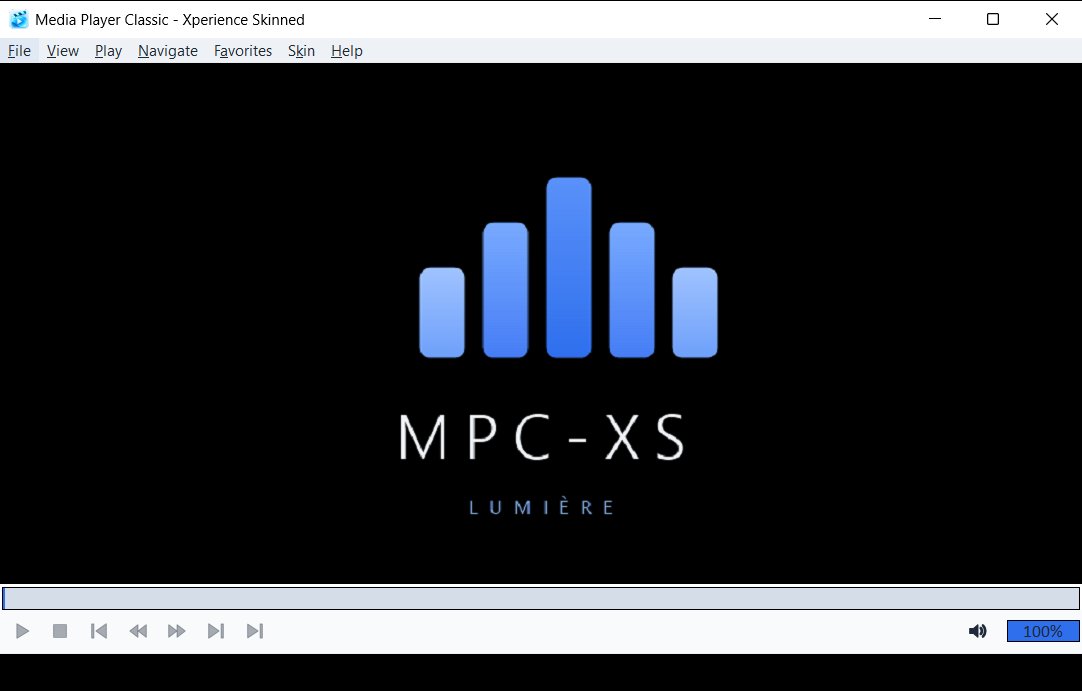
Lumière
LightElegantbluewhite
A bright, spacious light skin with bold navy icons and a clear blue accent. Built for legibility.
Version 1.0.0 · light · GPL-3.0-or-later · 31 KB
- Download
lumiere.mpcskin and double-click it. MPC-XS installs the skin.
- Open the Skin menu (between Favorites and Help) and choose Lumière.
By hand: extract lumiere.zip and copy the lumiere folder into skins next to mpc-hc64.exe.
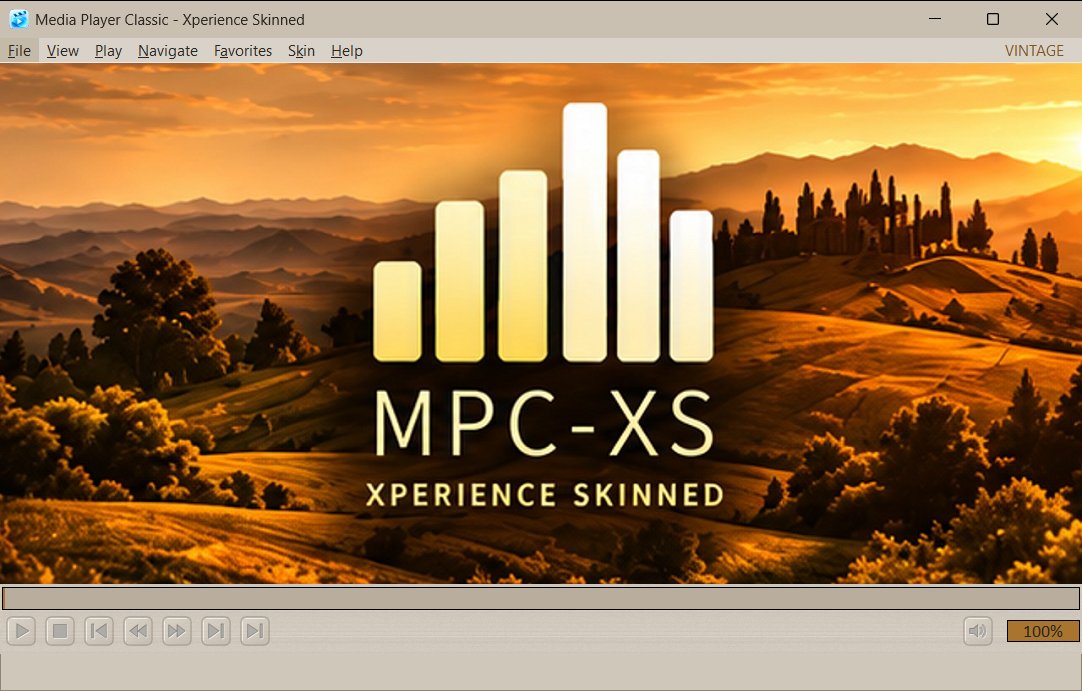
Vintage
LightRetrobrowngoldsilver
Satin metal and warm paper tones with a brushed texture on the control bars, embossed buttons on raised plates, and a golden hour hills logo.
Version 1.0.0 · light · GPL-3.0-or-later · 177 KB
- Download
vintage.mpcskin and double-click it. MPC-XS installs the skin.
- Open the Skin menu (between Favorites and Help) and choose Vintage.
By hand: extract vintage.zip and copy the vintage folder into skins next to mpc-hc64.exe.
No skins match that search.